Change Your Password
Follow
Steps to Change Your Password
- Login to Calendar.com.
- Click on your profile icon in the top right corner.
- Select User Settings.
- Click on Security in the left-hand menu.
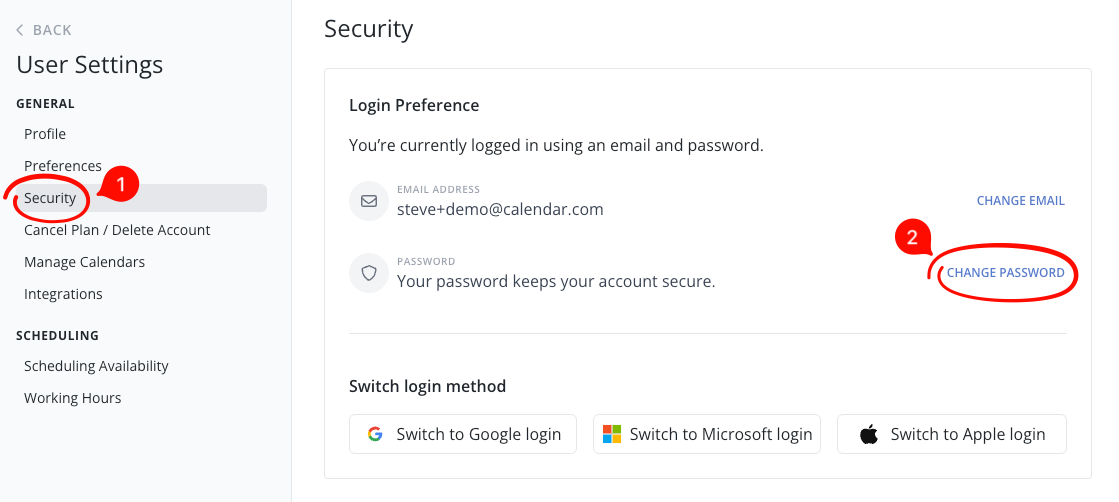
- Click on Change Password (or switch your login method by clicking one of the SSO options).
- Follow the prompts to enter a new password and save changes by clicking the Change Password button.
Important Notes
- SSO Login: If you normally sign in with Google or Microsoft, you will need to click the button 'Switch to Email and Password'.
- Forgotten Password: If you cannot log in, use the "Forgot Password" option on the sign-in page to trigger a reset email.
- Support: If you are having issues with account access, contact Calendar.com Support.


Comments
1 comment
this option is not under my settings
Article is closed for comments.